How to write a job application email (with examples)
Key takeaways
- When you apply by email, keep the body to a short note that names the job, lists the attachments and gives your contact details, and attach your cover letter and resume unless the ad says otherwise.
- Put the job title, any reference number and your name in the subject line, and name each file with your name and the document so it makes sense once saved.
- Follow the ad on file format. Without instructions, Youth Central recommends Word because some recruitment software can't read PDFs, though some employers ask for PDF.
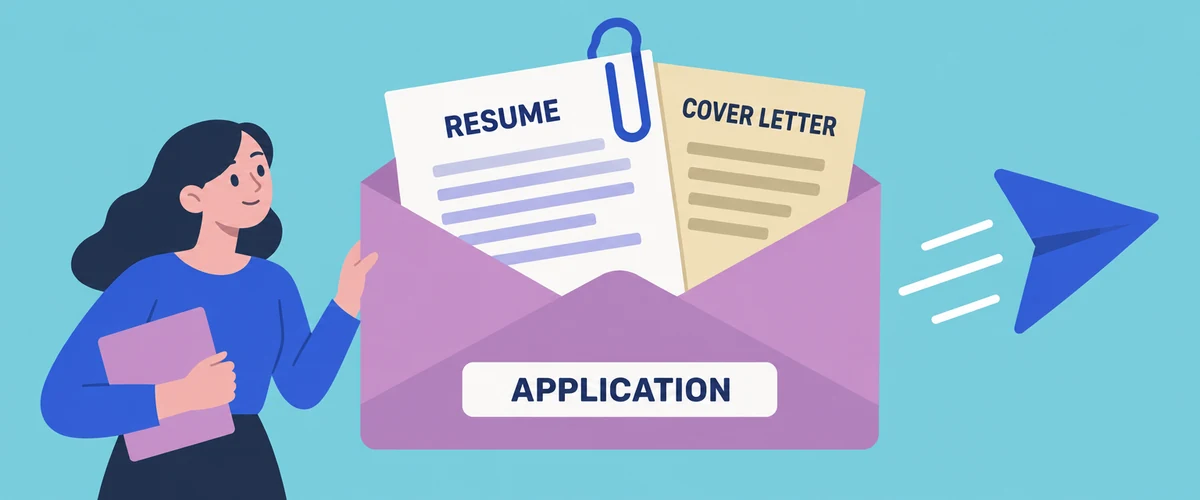
When a job ad asks you to apply by email, the email itself is usually a short covering note. It names the job, says which documents are attached and tells the employer how to reach you, while your cover letter and resume do the work of the application as attachments.
Below is what to put in the body, when to write the cover letter into the email instead, and how to handle the subject line, file names, formats and your signature, with two example emails you can adapt. If you haven't yet decided whether the application needs a cover letter at all, the guide on [whether you need a cover letter](/advice/do-you-need-a-cover-letter) covers that first.
What the email needs to say
The person opening your email may be handling several vacancies, so the body's first job is to make it obvious what the email is and what comes with it. Start by naming the job, with the reference number if the ad has one. Add a sentence or two about your most relevant experience, then list what you've attached and say you'd welcome the chance to discuss the role. One specific detail is plenty, because the cover letter is where you make the full case.
Address the email the same way you would the letter, using the contact named in the ad if there is one. The guide on how to start a cover letter explains what to do when there isn't. The Australian Government Style Manual suggests that when a letter is attached to an email, the covering text should say so, which helps here too: a reader who glances at the email on a phone still knows there's a letter to open.
This version suits most advertised jobs that ask for a cover letter and resume. Change the bracketed parts before you send it.
What the email needs to say
Subject: Application for [job title], ref [reference number], [your full name]
Dear [contact's title and surname],
I'm applying for the [job title] position advertised on [where you saw it], reference [reference number].
I've spent the past [number] years as a [current or recent role] at [organisation], where I [one specific responsibility or achievement that matches the ad]. I'd like to bring that experience to your team.
I've attached my cover letter and resume. [If requested: I've also attached my response to the selection criteria.]
Thank you for considering my application. I'd welcome the chance to talk about the role, and I can be reached on [phone number].
Kind regards,
[Your full name]
[Phone number]
[Email address]
Should the cover letter go in the email or as an attachment?
Follow the ad first. If it asks for a cover letter and resume to be attached, attach both and keep the email short. If it asks you to "email a short note" or says not to send attachments other than your resume, the email body becomes your cover letter.
When the ad doesn't say, attaching the cover letter is usually the safer choice. An attached letter keeps its formatting and can be saved, forwarded to the hiring manager or uploaded into a recruitment system alongside your resume. A letter written only in the email body can lose its layout when forwarded and is easier to separate from the resume.
Writing the letter into the body suits smaller, less formal applications, such as a casual job with a local business where the owner reads applications in their inbox. In that case, write a short version of your cover letter directly into the email and attach only your resume. Try not to do both, because pasting the letter into the email and attaching it as well gives the reader the same text twice.
The example below is for a fictional applicant, where the email is the application. It's longer than a covering note because it carries the case for the job.
Should the cover letter go in the email or as an attachment?
Subject: Casual barista application, Mia Thompson
Dear Mr Russo,
I'm writing to apply for the casual barista position you advertised on your cafe's website.
For the past 18 months I've worked weekend shifts at a busy bakery cafe, where I make coffee through the morning rush, take orders at the counter and help close the shop. I'm comfortable working quickly on a two-group machine and I've completed training in safe food handling.
I'm studying part-time, so I'm available on Saturdays and Sundays and on Tuesday and Thursday afternoons. I live nearby and can cover shifts at short notice.
My resume is attached. I'd be glad to come in for a trial shift or a chat at a time that suits you, and you can reach me on 0491 570 156.
Kind regards,
Mia Thompson
0491 570 156
Writing the subject line
The Style Manual's advice on emails is to keep the subject line short, put the main idea first and make it sum up the purpose, partly because a long subject may be cut off on a small screen and a clear one is easier to find later. For a job application, that means the job title first, then any reference number, then your name.
If the ad tells you what to put in the subject line, use that wording exactly, since it may be how applications are sorted. Vague subjects such as "Application" or "Resume attached" are easy to lose when several arrive on the same day.
Naming and formatting your attachments
A file called "resume final v3.docx" tells the reader nothing once it's saved in a folder with every other applicant's documents. These habits make attachments easier to handle:
- Name each file with your name and the document: for example, "Mia-Thompson-Resume.docx" and "Mia-Thompson-Cover-Letter.docx".
- Send each document as its own file: a separate resume and cover letter can be filed or forwarded individually, which is harder with a combined document or a zipped folder.
- Attach the files, not a link: a cloud drive link can need permissions the reader doesn't have, and the Style Manual notes that links in emails can look suspicious.
- Only add extra documents the ad asks for: scanned certificates and photos can make an email too large to arrive.
The file format is where guidance differs, so the job ad is the first place to look. The Victorian Government's Youth Central says some recruitment software can't read PDFs, and recommends sending a Word document (.doc or .docx) unless the ad asks for a PDF. Some employers ask for the opposite: the South Australian Department for Education's guide for applicants for school support roles tells them to convert documents to PDF before attaching them. The ACT Government accepts Word, PDF or Rich Text Format and warns that other formats may not be readable.
If the ad says nothing, a Word document follows the Youth Central advice, while a PDF keeps your layout exactly as you set it. Whichever you choose, open the saved file to check nothing has shifted.
Your email address and signature
Send your application from a personal address that looks professional. If yours doesn't, Youth Central suggests setting up a free account with a simple address based on your first and last name. It's best to avoid your current work account, which your employer manages and which you'd lose access to if you left.
A signature only needs your full name, phone number and email address, plus a link to a professional profile if it's current and relevant. Leave out quotes, images and any work logo or confidentiality notice.
Before you send it
Check that the files are attached and are the versions tailored for this job. If you've adapted an earlier application, check the employer's name, the contact's name and the job title in the email, the letter and the file names. Sending the email to yourself first shows you what the employer will see, including on a phone.
Send it before the closing date and time, leaving room for delays. Afterwards, save a copy of the job ad in case it's taken down before an interview, and check your junk folder for replies.
When an email about a job doesn't look right
Job scams also use email and messaging to collect personal details or money. The Australian Government's Scamwatch lists warning signs including a recruiter contacting you unexpectedly by text or through apps such as WhatsApp or Telegram, high pay for little effort, and being asked to pay a fee or top up an account with your own money.
Be cautious if a reply asks for your passport, driver licence or Medicare card early on. Scamwatch advises against sending identity documents unless you're certain the employer or recruitment firm is genuine, and suggests care about putting your date of birth or home address on your resume. If you're unsure, find the organisation's contact details yourself and check the job exists before replying.
Common questions
- Should I follow up if I don't hear back?
- If the ad gives a timeframe, wait until it has passed. Otherwise, a short, polite email a week or two after the closing date is reasonable. Reply to your original email so your application stays in the same thread, and ask when they expect to be in touch.
- What if the job is an unadvertised role or an internal call for interest?
- The same basics apply, but the email usually has to explain more because there's no job ad to refer to. The guide to writing an expression of interest has examples for both situations.
Related articles

How to ask someone to be your referee (with examples)
Four short messages to copy when you ask someone to be your referee, how to check they can give you a strong reference, and what to do if they say no or sound unsure.

How to decline a job offer, even one you've accepted
Four templates: the standard decline, declining for a better offer, declining over salary, and the harder case of backing out after you've already said yes.
How to follow up on a job application
When to follow up on a job application or interview, who to contact, what to say by email or phone, and when to stop waiting and move on.